Ads API Integration
Google Ads and Meta Ads management from one admin panel
A central view of Google Ads and Meta (Facebook/Instagram) campaign performance, with the option to create, track and optimise — all from the admin panel.
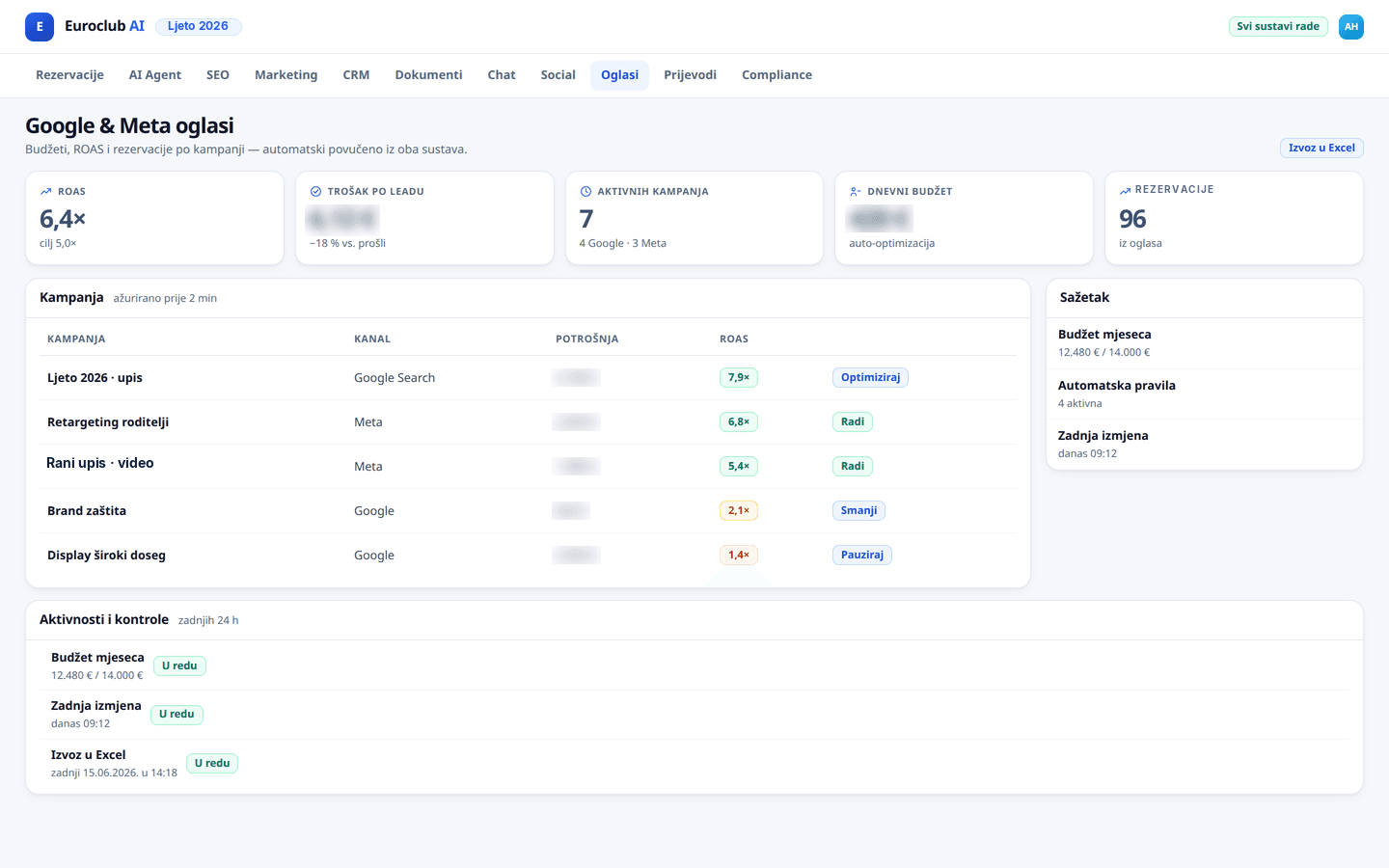
Before
Switching between Google Ads and Meta Business Suite, cross-platform performance that is hard to track, no single view of ROI.
After
A unified ads dashboard that pulls live data from both systems, shows cross-platform metrics and lets you create campaigns from one place.
Key features
How it works
Connect accounts
Connect Google Ads and Meta Business accounts with API keys — a one-time setup.
Live dashboard
Track impressions, clicks, CTR, cost and conversions for both platforms on one screen.
Optimisation
Create new campaigns, adjust budgets and analyse ROI without leaving the admin panel.
Connected systems
Need Ads API Integration?
Contact us and find out how we can implement this solution for your business.
Request an Audit